
Support for MaxCDN
If you are using MaxCDN and want to add Sucuri WAF/Firewall protection to it, this guide should help you get that configured. By using both services together, you get the benefits of MaxCDN caching and performance and the security of our firewall. In a high level, the image above shows the traffic flow.
With that in mind, we’ll need to setup the following:
- CloudProxy pointing to Webhosting.net, as normally it is.
- MaxCDN pointing to CloudProxy
Note: If you find this complicated, open a support ticket and our team will get you all setup.
Step by Step
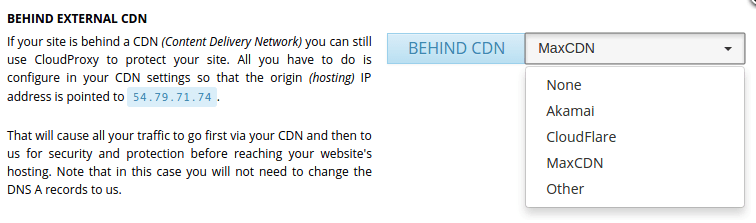
Enable the CDN option on the CloudProxy Dashboard setting it to MaxCDN. Just like this image:
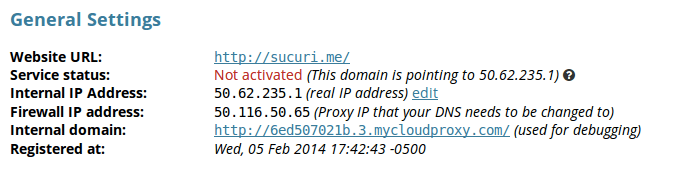
On CloudProxy we need to make sure that the hosting IP address is actually pointing to our IP address. If the site was previously live at MaxCDN when you added it to CloudProxy, you will need to manually edit the hosting IP address to point to webhosting.net.
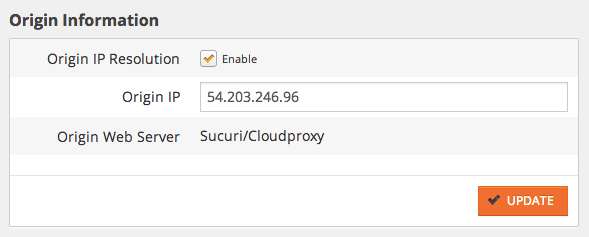
Inside MaxCDN’s settings page for the Pull Zone, you will need to edit the Origin IP address to match your CloudProxy IP Address:
You now have all the benefits of MaxCDN excellent services.
0
0